tips

🛒 E-Commerce and Kitchen: Digital Tools for Efficiency đŸš€đŸ“±

Kira Zabe

January 22, 2025 · Reading time: 10 Minutes
image

đŸ„— Smart tools for kitchen and e-commerce optimize processes, save resources, and increase conversions. Discover digital solutions! đŸ”§đŸ’»

Digital tools for kitchen and e-commerce: More efficiency, less waste

Efficiency and sustainability play a central role today – whether in the organization of the household or in the successful operation of an online store. Smart digital tools can save not only time and resources in both areas, but also minimize losses.

Innovative apps like Smantry App help to reduce food waste and ensure satisfied customers. This article demonstrates how digital solutions can simplify processes in kitchens and retail while enabling maximum efficiency.

Summary

  • Digital tools like the Smantry App help manage food supplies efficiently and reduce waste.
  • In e-commerce, smart solutions enable a better conversion rate through optimized checkout processes.
  • Data analysis in both areas supports more precise decisions and increases efficiency.
  • Personalized communication enhances both the user experience in online stores and planning in the kitchen.
  • Mobile optimization is equally important for apps and online stores to provide users with easy access.
  • Transparency in information and processes creates trust and reduces frustration among users.
  • Automated reminders and features such as shopping lists save time and promote sustainable consumption.
  • Shopping cart abandonment in e-commerce can be significantly reduced through targeted retargeting measures.
  • Efficiency is a common denominator that connects kitchens and e-commerce, enabling long-term success.
  • The integration of smart tools in households and commerce will continue to increase in the future and will simplify everyday life even more.

The challenges: food waste and shopping cart abandonment

Increasing efficiency is not an end in itself, but a response to central challenges that affect both everyday life and e-commerce. Food waste burdens not only households but also the environment significantly.

In online commerce, on the other hand, shopping cart abandonment leads to enormous revenue losses. A look at these challenges highlights why digital solutions are so valuable.

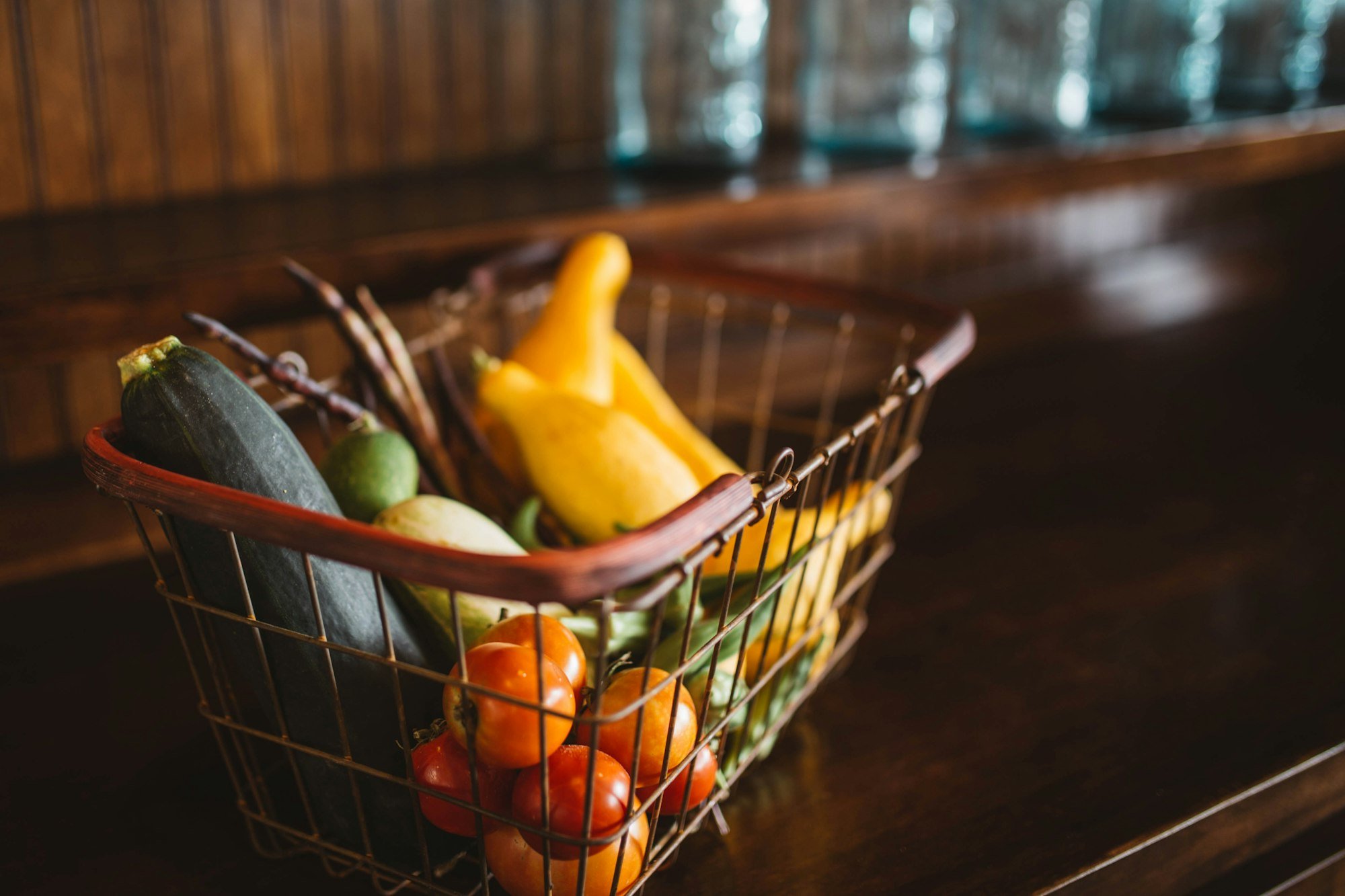
Photo by Gary Chan / Unsplash

Overview of food waste and its impacts

Every year, millions of tons of food are wasted worldwide, often due to poor organization or unconscious mispurchases. Consumers buy more than is actually needed, or overlook expiration dates in their supplies.

This unnecessary waste not only burdens the wallet but also leads to a significant squandering of resources such as water and energy, which were used in the production of the food.

Food waste also has far-reaching ecological consequences. CO₂ emissions, generated during production, transport, and disposal, contribute to climate change. Smarter inventory management, as enabled by the Smantry App, can significantly reduce such wastage.

Digital tools create clarity and promote a more conscious approach to food.

The problem of shopping cart abandonment in e-commerce

Shopping cart abandonment is one of the biggest challenges for online stores. Studies show that a majority of users abandon the purchase process prematurely – often out of frustration with confusing checkout processes or a lack of payment options. Each abandoned purchase represents not just lost revenue, but also a lost potential customer.

It is particularly frustrating when customers, after a comprehensive product selection, do not proceed with the final step. Solutions like those from Uptain address this very issue and offer ways to automate customer-oriented re-engagement measures. Personalized communication and incentives build trust and sustainably increase conversion.

Efficiency is crucial in both areas

Efficiency means using existing resources optimally and avoiding losses. In the kitchen, this not only saves money but also reduces the ecological footprint.

Smart inventory management systems help to keep track and only purchase what is really needed. This creates not only order but also sustainability.

In e-commerce, efficiency directly affects the competitiveness of a store. Customers expect a fast and intuitive purchasing process, and every unnecessary click can lead to abandonment.

Digital solutions offer enormous potential here to simplify purchasing processes and retain customers in the long term. Through targeted optimization, both companies and consumers benefit equally.

Increasing Efficiency in Online Commerce: Strategies for Higher Conversions

Efficiency in online commerce determines whether a visitor becomes a buyer. Every click, loading time, and every detail in the ordering process can make a difference. Strategies for increasing the conversion rate focus on simplifying purchasing processes and better understanding customer needs.

Here are key approaches that can sustainably optimize online stores:

Key strategies for increased efficiency and conversions

  • Optimization of the Checkout Process: A clear and intuitive checkout is crucial. Reduce the number of steps, offer various payment methods, and avoid unnecessary mandatory fields.
  • Personalized Address: Use data on user behavior to provide individual recommendations or tailored offers. This significantly increases the likelihood of a purchase.
  • Mobile User-Friendliness: With the increasing use of smartphones, online stores must be optimized for mobile devices. Fast loading times and a responsive design are essential.
  • Clear product information: Customers want to see all relevant information at a glance before making a purchase. High-quality product images, detailed descriptions, and reviews build trust.

Customer retention measures

  • Reactivating abandoned carts: Automated emails or targeted discounts can encourage customers to complete a purchase they have abandoned.
  • Reward systems and loyalty programs: Exclusive benefits for returning customers enhance engagement and create incentives for additional purchases.
  • Transparent customer service: An easily accessible support hotline or chat feature conveys trust and security, especially for major purchasing decisions.

An efficient online store is not only technically optimized but also tailored to the needs of its target audience. The combination of clear processes, personalized communication, and user-friendly design makes the difference and ensures long-term success.

An efficient online store requires not only well-thought-out processes but also the selection of the right platform. Particularly with solutions like Shopify, costs play a crucial role.

Shopify costs include not only the basic fees but also additional expenses for plugins and optimization tools. A detailed overview of these investments helps to better plan the profitability of a store and to create long-term success.

Commonalities and synergies between cuisine and e-commerce

Efficiency is the common thread between modern approaches in kitchen organization and online commerce. Both areas benefit from clear structures, optimized processes, and data-driven decisions. A look at their similarities reveals how to leverage synergies to make processes even more successful.

Parallels in optimizing processes and user experiences

Clearly structured processes are important to maintain an overview both in the kitchen and in e-commerce. Pantry apps help users to manage their supplies efficiently, while online stores constantly adjust their checkout processes to complete purchases. Both approaches rely on simplicity and user-friendliness to make everyday life easier and minimize losses.

Keep track of supplies, groceries and durable products before small price increases turn into unnecessary extra costs.

Or try it right in your browser — no install needed

User experiences are at the forefront. Whether it's intuitive app navigation or a smooth ordering process – customers expect clear structures and quick results.

Both in the kitchen and in digital commerce, it is evident: The simpler the operation, the greater the satisfaction and the higher the long-term success.

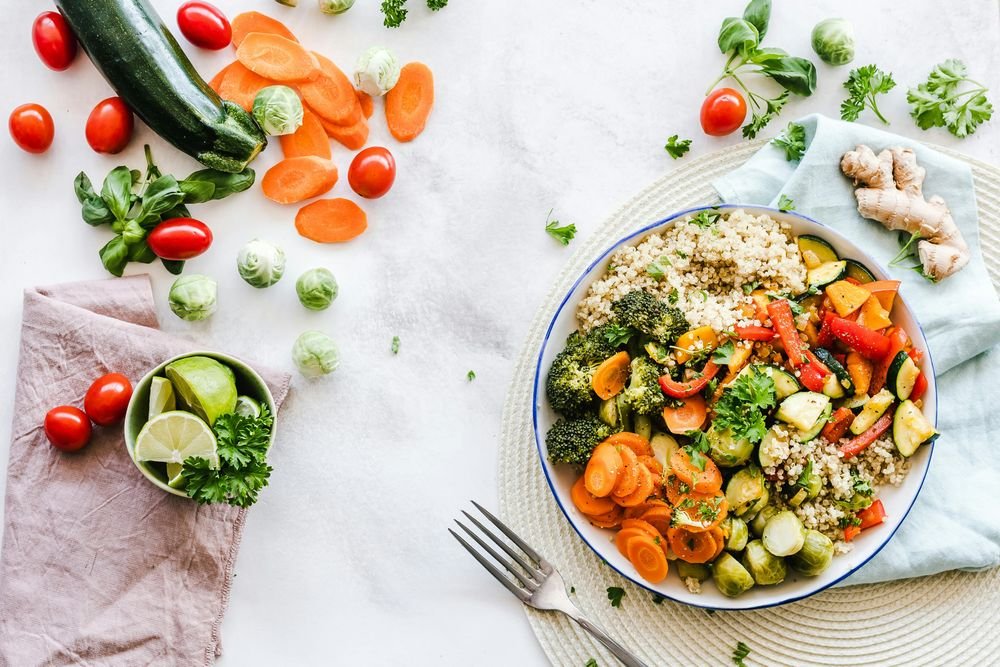
Photo by Towfiqu barbhuiya / Unsplash

Smart data analysis promotes efficiency in both areas

Data is the key to optimization. Apps like Pantry.App analyze inventory data and remind you of expiring food items, while e-commerce platforms use customer data to better understand purchasing behavior. Smart analytics enable data-driven decision-making and process adjustments.

In e-commerce, conversion rates and shopping cart abandonment are analyzed to initiate targeted measures for improvement. In the kitchen, such analyses provide a basis for more conscious consumption. Whether shopping lists based on consumption or recommendations for repurchases – data-driven decisions save resources and increase efficiency.

Future Perspective: Integration of Smart Tools in Household and Commerce

The interconnectivity between households and commerce will continue to increase. Smart apps could in the future interact directly with online stores to trigger automated orders based on consumption data. Kitchen and e-commerce are merging and creating seamless transitions between planning, shopping, and usage.

The use of AI also offers exciting prospects. Personalized suggestions for recipes or product recommendations could be tailored to the user and thus meet individual needs even better. This integration creates an efficiency that fundamentally changes everyday life both at home and in digital commerce.

Conclusion

Efficiency is the key factor that leads to better results in both kitchen organization and e-commerce. Smart digital tools like the Smantry App and targeted optimization strategies in online trading show how processes can be simplified, resources conserved, and losses reduced. Whether managing inventories or optimizing checkout processes – the focus on clear structures and user-friendliness makes the difference.

The parallels between both fields illustrate that intelligent solutions not only solve everyday problems but also enable more sustainable and successful actions. Data analysis and automation are crucial here to make precise decisions and meet the needs of users. This approach not only brings more order but also measurable added value – in the kitchen as well as in digital commerce.

Looking into the future, it is evident that the integration of smart technologies will continue to advance. The connection between households and e-commerce offers tremendous potential to make processes even more seamless. Digital tools lay the foundation for greater efficiency and sustainability, becoming indispensable companions for modern daily life.

Photo by Alberto Cognetti / Unsplash

FAQ

What are the benefits of combining kitchen and e-commerce through digital tools?

The integration of digital tools in the kitchen and in e-commerce creates more efficiency and user-friendliness. In the kitchen, apps like the Smantry App help organize supplies and reduce food waste.

In e-commerce, smart solutions enable personalized user experiences and optimize purchasing processes. Together, they promote sustainability, save time and money, and ensure smoother management in both areas.

Can I use digital tools even without technical knowledge?

Yes, most digital tools such as the Pantry.App and e-commerce solutions are designed for intuitive use. The user interfaces are often clearly arranged, and many apps provide guides or support.

Even for beginners without technical knowledge, getting started is easy. The goal of the tools is to simplify everyday tasks without the need for complicated processes or training.

How can digital tools be customized individually?

Digital tools offer numerous customization options to meet the needs of different users. In the kitchen, for example, you can create categories for supplies or personalize shopping lists.

In e-commerce, customer data can be used for personalized product recommendations or individual discounts. This flexibility makes it possible to tailor the tools precisely to one's own daily routine or business operations.

What is the cost of using such digital tools?

The costs for digital tools vary depending on the provider and the range of functions. Many apps, such as the Smantry App, are available for free but offer optional premium features for a fee.

E-commerce solutions depend on the size and requirements of the online store, often there are tiered prices. It's worth comparing the features and costs in advance to find the best value for money.

More blog posts

Einkochen fĂŒr Einsteiger: So machst du deine Sommerernte haltbar

Canning for beginners: how to preserve your summer harvest

October 15, 2026
1 min read
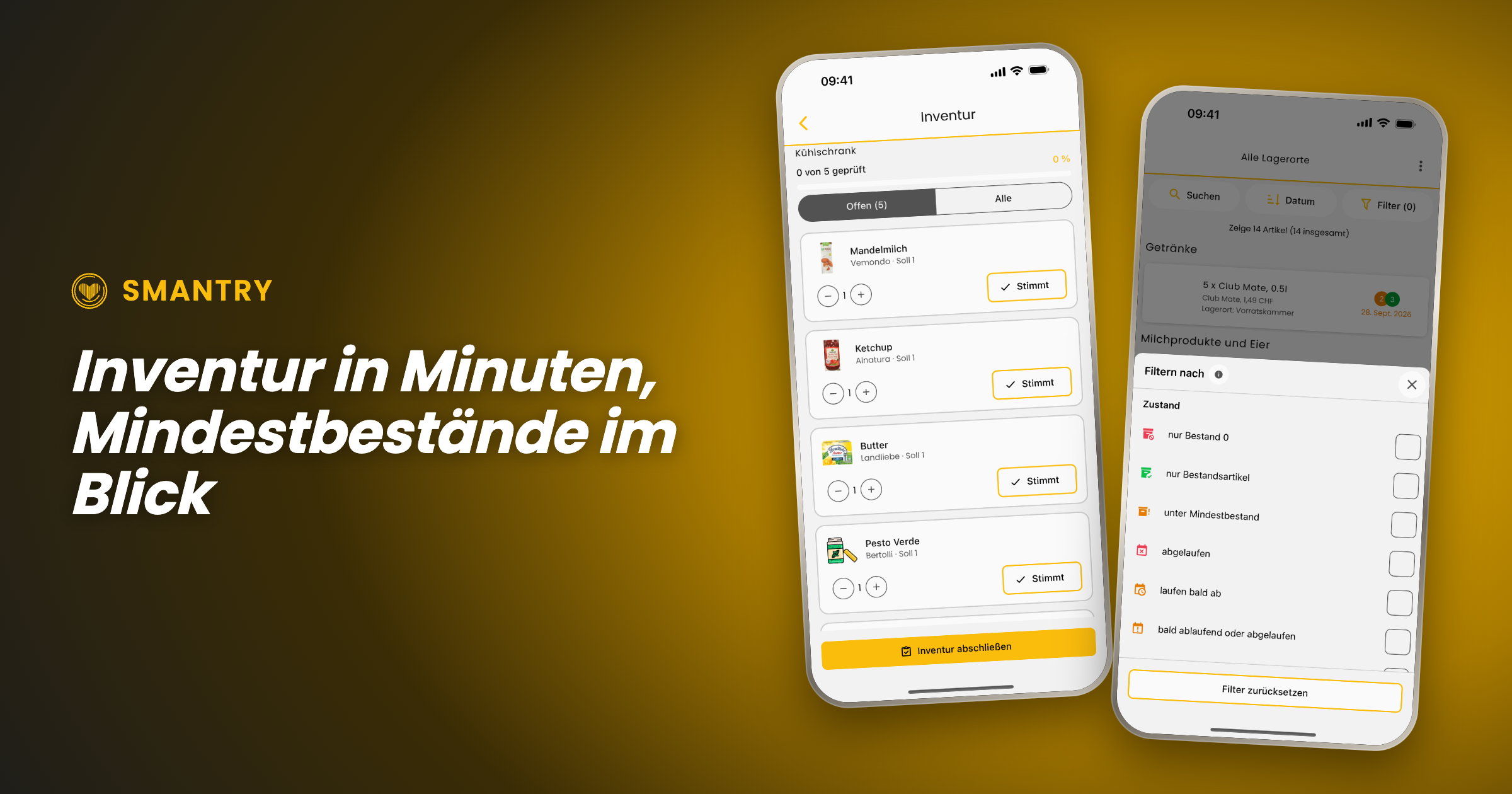
Zwei Screenshots aus Smantry 1.42: der Inventarmodus mit der ZĂ€hlliste pro Lagerort und der neue Filter „unter Mindestbestand“

Smantry 1.42: Stocktaking in Minutes, Minimum Stock Levels and a New Look

Since version 1.39, two updates have been released, and together they shift the app’s focus. Until now, it was mainly about recording and keeping track of individual items. From now on, it’s about your inventory as a whole: With the new inventory mode, you can update an entire stockroom in just a few minutes, minimum stock levels tell you what’s missing rather than just what’s there, and the interface has been redesigned in the places you tap most often.

The new inventory mode: keeping each warehouse up to date

The most common reason why inventory in an app eventually becomes inaccurate is simple: over time, a gap develops between what is listed and what is actually on the shelf. Until now, your only option was to correct items one by one. Now there is a dedicated mode for that.

The inventory mode doesn't start with your entire stock, but with the question of where you are right now. You select a storage location—“pantry,” “freezer,” or “cellar”—and Smantry shows you only the items stored there. The on-screen prompt says it plainly: _“Start taking inventory right in front of the storage location.”_ That's exactly how it's meant to work—phone in hand, cupboard door open.

The counting flow itself is deliberately kept simple so that it runs quickly:

  • Each row shows Expected and Actual. If the stock count is correct, tap "Correct"—one tap, and on to the next item.
  • If it is incorrect, use − and + to correct it, then confirm by selecting "Apply".
  • At the top, the progress indicator shows: _“12 of 30 reviewed”_. Use the “Open” filter to hide everything you've already checked off.
  • Once all the rows have been checked, the screen displays "Everything checked!" and you complete the inventory count at the bottom.

Two details that make the difference between a counting aid and an honest supply:

Which unit do you mean? If a product with multiple expiration dates is stored in the storage location, Smantry does not guess. When you remove a unit, it asks: _“Which unit are you removing?”_—and indicates which one you should use first. When you add one, it instead asks for the new unit’s date, which you can either copy from the existing stock or enter manually.

Why is it being removed? When you reduce a quantity, Smantry asks why: _“Did you use it up, or did you have to throw it away?”_ This ensures that anything removed during an inventory count is included in your waste figures—instead of being hidden in a silent adjustment entry.

PortableText [components.type] is missing "image"

The summary: Taking inventory to its logical conclusion

An inventory count is only worthwhile if it ultimately leads to action. That’s why the process doesn’t end with “saved,” but with a summary: how many items you checked at this storage location, how many stock levels were adjusted, and how many items were removed—broken down into used up and discarded.

And then comes the part that saves you work: Smantry lists everything that has fallen below your minimum stock level during inventory directly underneath—with a button labeled "Add to shopping list". From the shelf to the shopping list, with no extra steps.

Minimum stock levels: finally see what's missing, too

For this to work, Smantry needs to know what counts as “enough.” You define that in the minimum stock levels—not laboriously for each individual item, but by category: two kilos of flour, six liters of milk, ten packs of pasta. The screen continuously shows you how many categories are active and what is still needed to reach the minimum levels.

New in the inventory list is the handy filter: “below minimum stock”. With a single tap, it turns the inventory list into a list of missing items—the view you actually want before going shopping. (A frequently requested suggestion from the feedback portal)

And if you're starting from scratch, you don't have to come up with the numbers yourself: Use "Load template" to import a ready-made set of minimum stock levels. The quantities are then scaled to the number of people and the desired period—you say "3 people, 10 days," and Smantry does the math.

PortableText [components.type] is missing "image"

Emergency supplies according to the BBK – with real figures

The most important of these templates is the emergency supplies table from the German Federal Office of Civil Protection and Disaster Assistance (BBK). It is now available as a template in Smantry, using the published table as its source—so it contains the quantities actually listed there, rather than estimates. The source is identified in the template dialog, and a preview shows you what will be imported before you apply it.

This is accompanied by a small but important correction to the preparedness indicator: An item can now be marked as "Do not count toward emergency supplies"—intended for anything that may be on the shelf but won't keep anyone fed in an emergency. Wine and sweets are listed as examples directly in the setting description. This simply makes the statement "Prepared for 12 days" more accurate.

A fresh look for the places you visit most

At the same time, we’ve refined the interface in the areas where most of the action happens. Not as a redesign for redesign’s sake—the list of changes may sound unremarkable, and that’s exactly the point:

  • The inventory toolbar is now evenly divided between search, sorting, and filtering. The search pill is labeled instead of showing only a magnifying glass, and the item count is back above the list.
  • The Add button on the inventory screen is now significantly larger—the app's second most common action used to have the smallest button.
  • The scanner now uses the full camera view, with the controls floating above it. The flashlight, camera switch, and manual input are all in one place instead of cropping the image.
  • Instead of spinners, while loading you'll see shimmering placeholders shaped like the content that's about to appear. It doesn't make loading any faster, but it does make the experience feel noticeably calmer.
  • Empty lists are no longer just empty lists—they now explain what to do next, tailored to the goal you selected when you started.
  • The tab bar retains the new glass look, while the page header is back to being simple and easy to read. We tried both in glass, but that was one idea too many.
PortableText [components.type] is missing "image"

Declutter: used up or thrown away, now at a glance

The cleanup list introduced in version 1.39 has gained the step it was missing. When you remove an item from it, Smantry no longer asks why in a text dialog, but instead displays two illustrated cards: used up or thrown away. You can grasp the difference in half a second instead of having to read it.

The fact that the loading spinner appears on the card you tapped may sound like a minor detail—but it makes the difference between “I know what’s happening” and “I’ll tap again.”

PortableText [components.type] is missing "image"

Expiration dates: the finishing touches

We’ve made adjustments to the new durability screen introduced in 1.39 based on the feedback we received:

  • One tip instead of two: The date input opens directly, without an intermediate step.
  • The year list now starts with the current year – instead of somewhere in the forties, requiring minutes of scrolling to reach the present.
  • On the iPad, the dialog now follows the device's orientation, including in landscape mode.
  • "Does not expire" is finally respected everywhere: no expiration indicator in the list and no best-before status for items you've marked as non-perishable.
  • In the article detail view, the workflow status is now displayed as text instead of just as a colored dot.

Sign in: one tap, one account

Sign-in now takes place on a dedicated, secure sign-in page (`identity.smantry.com`) – and best of all, it opens with a single tap and already knows whether you wanted to sign in or register. Cases that previously resulted in two accounts being created because an email address was already linked to a different sign-in method now prompt you for confirmation instead of displaying an error.

By the way: New accounts are now set up in your language. Previously, welcome content and emails could appear in English without warning, even though the app was running in German.

Further improvements

  • Full-size product images: Tapping a product image now opens it in full view again—even directly from the inventory list, and above the header instead of below it.
  • Form stays open: When you select a photo while creating a new product, the form no longer closes—your entries remain in place.
  • All storage locations in the Move dialog: When moving an item, not all destinations were always visible. Now they are.
  • Create storage location: If creation fails, the app now tells you instead of silently doing nothing. It also now rejects names consisting only of spaces.
  • Printing on Android: The stock list printed as a PDF can be reopened.
  • Product database: If a product cannot be synchronized with the product database when saving, you will now be notified—instead of it being silently lost.
  • Accessibility: Filter rows are announced correctly as checkboxes, the removal-reason buttons have meaningful labels, and small buttons meet the 44-point minimum size again.
  • Fewer false alarms: Brief network dropouts are no longer reported as errors, and stalled database connections recover by themselves instead of ending in an empty list.

And for companies: Smantry Enterprise

A large part of the work in these two versions is invisible in a private household, because it is meant for businesses: households can now belong to a company, with roles, seat-based billing and a log of every stock change. In the app you only see what concerns you — the note “This account is managed by your company”, for instance — and the option to issue material to people and take it back, right on the phone.

If you use Smantry professionally, write to us and we will show you.

Update now

Smantry 1.42 is available on the App Store and on Google Play. One tap on “Update” is all it takes — then give the new inventory mode ten minutes. One storage location is enough to see the point.

Do you have feedback on the new features, or an idea for the next version? Tell us directly in the app via the support chat or in the feedback portal. The “below minimum stock” filter, the one-tap calendar and the month-only mode all started there.

September 27, 2026
9 min read
Zwei Screenshots aus Smantry 1.39: das Widget „LĂ€uft bald ab“ auf dem Android-Home-Screen und der neue Haltbarkeits-Screen

Smantry 1.39: Home Screen Widgets, a New Expiry Screen and a Cleanup List

The summer update is here – and it’s one of the biggest in a long time. Smantry 1.39 brings together everything that has been added since version 1.37: expiration dates now appear right on your home screen, entering best-before dates has its own dedicated page, and for the items you eventually just forget about, there’s now a cleanup list. Here’s an overview.

Your pantry on the home screen: widgets for iOS and Android

PortableText [components.type] is missing "image"

The most important view in Smantry is the one that answers the question: What’s expiring soon? From now on, you don’t even have to open the app for that anymore – the “Expiring soon” widget brings the answer straight to your home screen. On iOS it’s brand new, and on Android we’ve completely overhauled it in this version: it reliably receives data again, now shows the same countdown texts as on iOS, and opens the corresponding list when you tap it.

On the iOS home screen, the widget is available in two sizes:

  • Small: a large number shows how many items are due in your reminder period – plus the most urgent product.
  • Medium: multiple items with countdown (“today”, “tomorrow”, “in 3 days”).

In addition, on iOS there are three lock screen widgets: circular, rectangular, and a slim line above the clock – so you can glance at the display without unlocking it.

The colors help you prioritize: Red means overdue, Orange due today, Yellow due within the next three days. Important: The time period the widget considers as “soon” is not a fixed value – it adopts the reminder lead time from your settings. And when there’s nothing coming up, a green checkmark shows “Your pantry is in good shape” – sometimes the best widget is the one that leaves you in peace.

Technically nicely implemented: The widget keeps counting the days on its own and stays accurate, even if you never open the app. It doesn’t need the internet or its own database access for this – when you use it, the app simply stores a local snapshot of your expiry data. On iOS, the widget works from iOS 16.

Tapping the widget now no longer just takes you into the app, but directly to the filtered view with exactly the items in question – including expired ones.

The new shelf-life screen: enter the date without any detours

PortableText [components.type] is missing "image"

Entering the best-before date is the most common action in Smantry – and that’s exactly why it now has its own, tidy page. Whether you scan an item or create it manually: instead of a small dialog with number wheels, the new shelf life screen opens with everything in one place:

  • Choose the type of date: Best-before date or use-by date – with a note that explains the difference (“Usually still fine to eat afterwards.” versus “Do not eat after this date.”). The save button always tells you what you’re setting: “Save shelf life” or “Save use-by date”.
  • Quick selection: “In 3 days”, “In 1 week”, “In 2 weeks”, “In 1 month”, “In 3 months”, “In 1 year” – one tap is enough. For rice, canned goods & co. there is “No best-before date (long-lasting)” – this selection is now also reliably saved. For the storage date, which lies in the past, the list is reversed accordingly: “Today”, “Yesterday”, “1 week ago” and so on.
  • Fine-tuning: Use − and + to jump by whole days; the relative display (“In 31 days”) immediately gives you a feel for the date.
  • Calendar included: The built-in calendar is limited to sensible years – no more accidentally scrolling all the way back to 1900.

The storage date now has its own screen instead of sharing a selection list with the expiration date. The two dates are never edited at the same time – that may sound like a small detail, but it has eliminated exactly the mix-ups that previously generated the most feedback.

Also handy: The input now always remains visible above the keyboard, and the scan flow no longer gets interrupted when the notification permission is requested for the very first date.

Only month and year? That’s enough for now.

PortableText [components.type] is missing "image"

Many products don’t show a full date, but only “best before 05/2027”. One of the most requested community suggestions has therefore now been implemented: the “month-only” mode.

Simply switch from “Exact day” to “Month only” in the shelf life screen, type in “MM.YYYY” – done. Smantry automatically saves the end of the month, i.e. the last day on which the product is still good according to the printed date. No more guessing which exact day it’s supposed to be.

Smantry only records the month in this case: in the list, on the website, and in the PDF export, only the month will appear – not an exact day, which never actually appeared on the packaging.

Forgotten items: the new decluttering list

PortableText [components.type] is missing "image"

Every pantry has them: items that expired long ago and have still been sitting untouched on the list for weeks. Until now, Smantry has only pointed them out – but hasn’t offered anything to help you get rid of them.

That’s what the new “Clean up” screen changes. It gathers all items that expired more than 14 days ago and haven’t been touched since, with the most overdue ones first. And it gives you exactly two buttons per item:

  • Red trash can (“Gone”) – the item is removed from stock.
  • Green check mark (“Still there”)– nothing changes; you’ve just confirmed that the item still exists.

On the dashboard, a card points the way (“3 items are waiting for you”), which automatically hides itself as long as there’s nothing to tidy up. No badge constantly nagging you.

Best-before date or use-by date? The difference matters everywhere now

“Best before” is a recommendation – “use by” is a limit. Smantry now consistently distinguishes between the two, in the app and in the web version. For ground meat you set a use-by date, for pasta a best-before date, and you mark long-lasting items as “does not expire” – they then won’t appear in the expiry warnings at all.

There are two new filters to go with this: “not yet expired” – a view for everything that’s still good, as a counterpart to the existing “expired” filter – and “expiring soon or expired”, the view you land in after tapping the widget.

Reminders that match the product

PortableText [components.type] is missing "image"

Up to now, there was one reminder period for everything: five days before the best-before date, whether it was yogurt or frozen pizza. Now you can set it per item. In the item form there is a field called “Reminder (days before best-before date)” – if you leave it empty, your default value from the settings will still apply.

Practical for anything that needs more lead time: for a pack of meat you still want to freeze, two days’ notice is already too late – for canned goods, on the other hand, two weeks’ warning is just noise.

Expired is not the same as expired

A yogurt that is three days past its best-before date is a different matter than a canned good that is three days past. That’s why Smantry can now assess expired items in relation to their original shelf life instead of just counting the days since the best-before date.

You can find this option in the settings under “Grade expired items by their original shelf life” – along with two thresholds that define at which remaining percentage of the original shelf life an item turns yellow or red. If you prefer to keep things simple, just leave this option disabled.

Used up or thrown away? One tip makes the difference

PortableText [components.type] is missing "image"

When you take an item out of your stock, you can now quickly record whether it was eaten or thrown away – either directly on the item using the fork or trash can button, or when removing it via the dialog (“Was it used up or did you have to throw it away?”). This also works for partial quantities, for example if you only had to throw away half of it.

Why this matters: Smantry helps you avoid food waste. And that works best when you know exactly what regularly ends up in your trash. This data stays within your household and will form the basis for future statistics – you’ll be able to see how much you’re really saving.

Date format: DD.MM.YYYY, also in English

PortableText [components.type] is missing "image"

Previously, the way dates were written depended on the app language – if you used Smantry in English, you were forced to use “MM/DD/YYYY”. These are now two independent settings: Under “Date format” you can choose “DD.MM.YYYY”, “MM/DD/YYYY” (US) or “DD/MM/YYYY” (French) – regardless of which language the app uses to talk to you. In the app and in the web version.

Further innovations at a glance

  • New units: You can now also count items in portions and packages – for everything that can’t really be measured in grams or liters.
  • Premium for two: Your individual Premium subscription now includes a second license. Simply invite your partner to join your team – at no extra cost.
  • Shelf and compartment in view: The stock list now shows the specific compartment of a storage location and the earliest best-before date of an item directly in the row.
  • Move instead of delete: When deleting a storage location, Smantry offers to move the items instead – even to the storage location of another household.
  • Filters that stay: Your filters in the pantry list now survive an app restart.
  • Nothing gets lost anymore: If the app is terminated by the system while you’re entering an item, your typed data will be there again the next time you start it.
  • Scanner fine-tuning: Barcodes are now correctly recognized even with the front camera and when the device is rotated, the scanner no longer freezes when you return to it, and if camera access is missing, the app takes you straight to the settings.
  • Siri and Shortcuts (iOS): In the Shortcuts app, you’ll find three new Smantry actions – “What expires soon?” responds directly in Siri without launching the app. The actions require iOS 17 and are currently only available in English.
  • Emails in your language: Confirmation and password reset emails will now be sent in your app’s language.
  • PDF export cleaned up: The printed stock list is now sorted and filtered exactly like your view in the app.
  • Subscription management: Plan changes now work without the risk of double billing, and with “Refresh status” you can immediately refresh the subscription status after a purchase – in case it’s still lagging behind.
  • Improved readability: Large system fonts are now supported – scaling is capped at an upper limit instead of being ignored, so the layout stays intact.

Update now

Smantry 1.39 is available in the App Store and on Google Play. Just open the store and download the update – your pantry is already waiting for its widget.

You have feedback on the new features or an idea for the next version? Tell us directly in the app via the support chat or in the feedback portal. That’s exactly how the “month-only” mode, per-item reminders, and many other improvements in this update came about.

August 19, 2026
9 min read
Lebensmittelverschwendung im Sommer: Warum wir ausgerechnet jetzt am meisten wegwerfen – und was dagegen hilft

Food waste in summer: Why we throw away the most right now of all times – and what helps against it

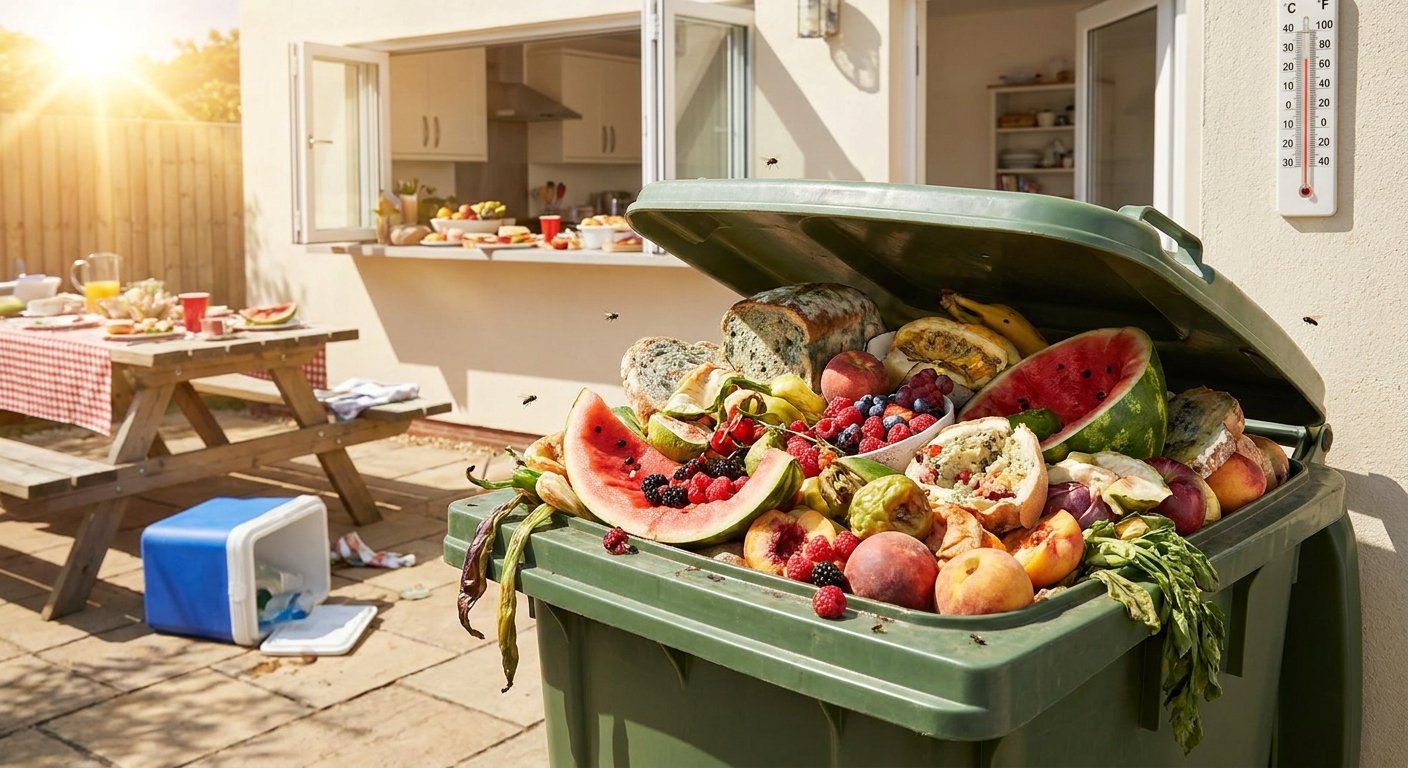
Summer brings barbecues, vacations, and bustling farmers’ markets. What often goes unnoticed: it’s precisely in the warm months that especially large amounts of food end up in the trash in German households. The reasons are surprisingly everyday ones – and with a bit of awareness, they’re easy to avoid.

How big is the problem? The figures

Before we turn to the special features of summer, it’s worth taking a look at the bigger picture. According to a report by the Federal Ministry of Food and Agriculture (BMLEH), around 10.8 million tons of food were thrown away in Germany in 2022.

The frightening thing is: Almost 58 percent of this waste is generated in private households – that’s about 79 kilograms per person per year. Not in restaurants, not in supermarkets. In our own homes.

The initiative Too Good for the Bin sums it up like this: The biggest leverage lies in the everyday lives of consumers – and with it the greatest opportunity to make a difference.

Why summer is the most critical season

1. Heat accelerates spoilage

The most important factor is simple: heat makes food spoil faster. According to R+V Versicherung the number of bacteria doubles at summer temperatures in just 20 minutes. Individual foods can therefore spoil on the way home from the supermarket – for example, if they are transported in a heated car.

The German Nutrition Society (DGE) explicitly warns: Perishable foods such as meat, fish, dairy products and egg dishes are particularly sensitive to high temperatures. Anyone who breaks the cold chain in summer risks not only food waste, but in the worst case also food poisoning.

Particularly perishable in summer:

  • Berries (strawberries, raspberries, blueberries)
  • Soft cheese and cold cuts
  • Avocados (hard to judge, quickly become overripe)
  • Meat and fish
  • Fresh herbs

2. We buy more impulsively in summer

In winter, most purchases are planned. In summer, markets tempt us with fresh strawberries, grill stands with spontaneous ingredients, and we shop more generously than usual. The problem: what looks tempting at the market often ends up forgotten in the vegetable drawer the next day – and spoils twice as fast as in winter.

3. Barbecue evenings regularly produce leftovers

Barbecue season is a special chapter in the story of food waste. You shop for ten people, but only seven show up. You plan generously because you want the evening to be spontaneous. The result: meat, grilled vegetables and salads that nobody wants anymore – and that are forgotten in the fridge even faster than in winter.

4. Holidays and Unattended Refrigerators

One of the most common—and most avoidable—summer scenarios: you leave for vacation without checking the fridge first. Arugula from last week, yogurt just about to expire, cheese that really should have been used up long ago. Two weeks later you come back and throw everything out at once.

What really helps: 5 concrete tips for the summer

Tip 1: Check what you still have before you go shopping

The simplest and most effective step. If you know what you still have, you shop more deliberately and avoid buying duplicates. With an app like Smantry, a quick look before shopping is enough – all your supplies, fridge contents, and expiry dates at a glance.

Tip 2: Strictly maintain the cold chain in summer

Always put frozen goods and fresh meat into the shopping cart last. In hot weather, take a cooler bag with you. Take your groceries straight home and put them in the refrigerator immediately.Consumer Advice Center NRWalso recommends buying smaller quantities but shopping more often on hot days.

Tip 3: Tidy up specifically before your vacation

Three to four days before departure, it’s worth checking the fridge: What is going to expire soon? What can still be used up or frozen? What can you give to a neighbor? Once you do this consciously, you’ll be surprised how much can be saved – and you’ll leave with a clear conscience.

Tip 4: Calculate barbecue quantities realistically

It’s better to plan conservatively and add more if needed. Leftover grilled vegetables can be turned into great salads, wraps or soups – but only if you still know what’s in the fridge and when it should be used up.

Tip 5: How to store food properly in summer

Some foods can exceptionally be stored in the fridge during summer, even though they are usually better kept at room temperature:

  • Tomatoes and bell peppers: In the height of summer, they can be put in the fridge for a short time – the flavor and texture change slightly, but spoilage is prevented
  • Bread: Do not store in the refrigerator (it will become dry and hard), but in a ventilated bread box or – for longer storage – in portions in the freezer
  • Oils: Store in a dark, cool place; in very hot weather, the refrigerator can be a good option

The real problem: lack of oversight

Food waste rarely happens out of indifference. It happens because of a lack of oversight. We don’t know what we have. We buy things twice. We forget what’s at the back of the fridge.

So the first step isn’t a new recipe or a new habit – it’s getting an overview. Anyone who knows what they have and when it needs to be used up will automatically make better decisions.

The Smantry app was developed precisely for this problem: as a digital memory that supports you in everyday life – with no effort, no need to change your habits, and no guilty conscience.

→ Try it now for free

Conclusion: Summer is solvable

79 kilograms of food per person per year – that sounds like a structural problem that individuals can hardly influence. But especially in summer it becomes clear: many of these losses occur in very specific moments. When buying too much for a barbecue. When going on holiday without checking the fridge. When forgetting the yogurt behind the juice bottle.

Small changes in behavior therefore have a particularly direct impact in summer. And if you use a digital memory to help, you don’t even have to remember very much yourself.

Further resources and links

Smantry App – throw away less, keep more. Download the app for free | All blog articles

Read next

May 21, 2026
6 min read