Version 1.48 brings four big changes to the Smantry web app: recipe suggestions that match your stock, food warnings for your items, a new, calmer design, and a minimum stock that counts what is already on your shopping list. On top of that, there is an honest balance of what leaves your stock, and answers to two of the most-voted ideas from the feedback portal. With this release, we are finally delivering on requests many of you have been making for a long time.
Recipes that match your stock
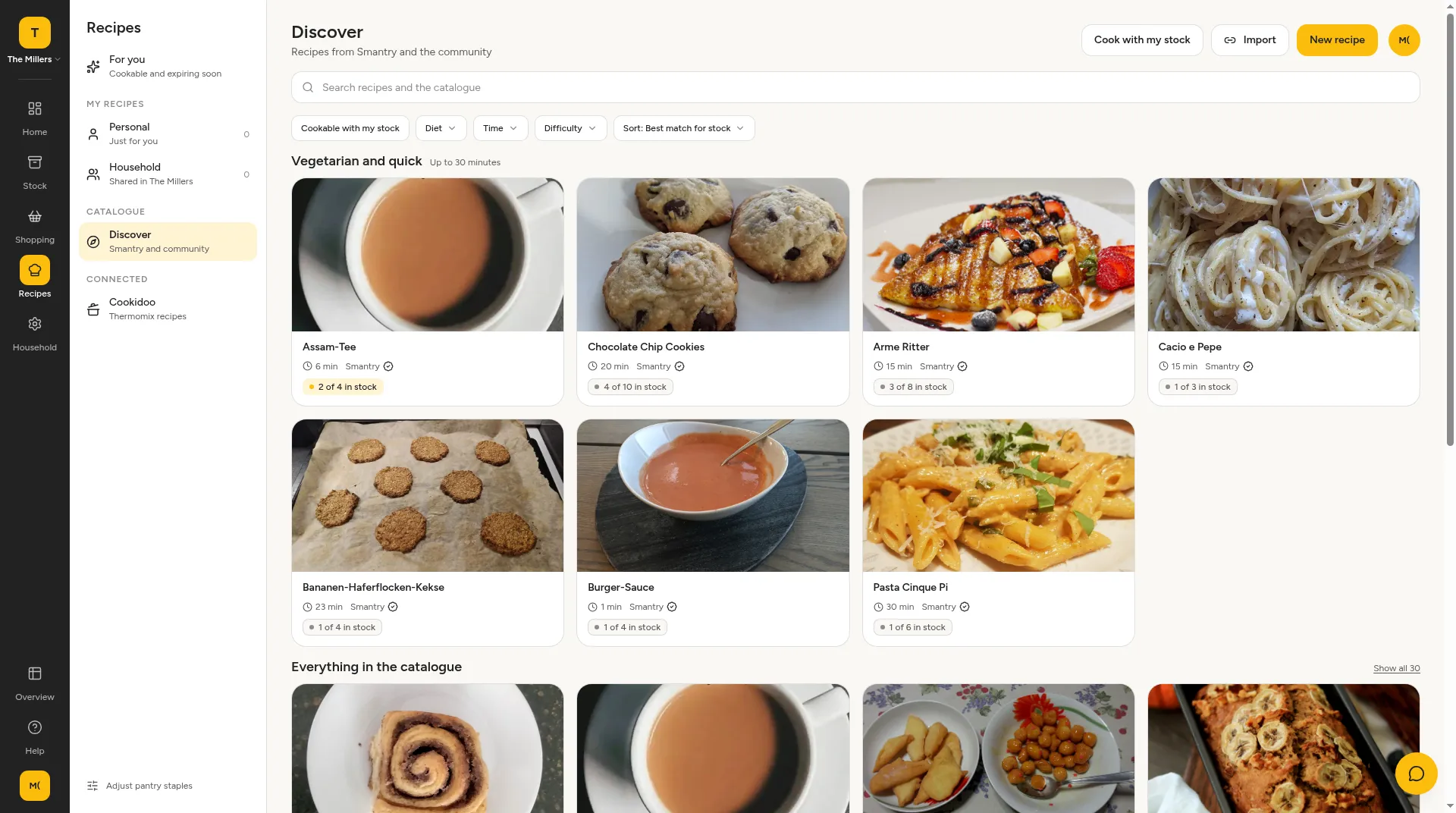
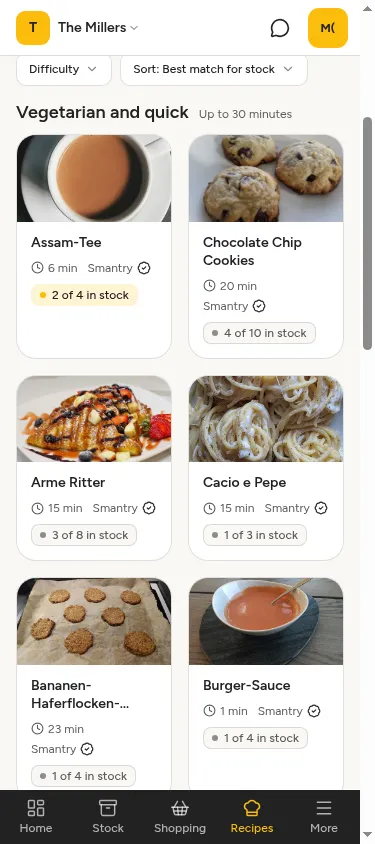
The recipe page now shows what you can cook with what you have. Each recipe card shows how many ingredients are already in stock, for example “4 of 10 in stock”. With “Sort: Best match for stock” the best fits appear first, and the “Cookable with my stock” filter shows only recipes for which you already have almost everything. New accounts can also comment on recipes straight away.
Food warnings for your stock
Smantry matches recalls from lebensmittelwarnung.de, the official German food warning portal, against your stock. When a warning matches one of your items, the web app shows a banner on the dashboard. On the warning page you can mark the item as seen or book it out as discarded. The hint also appears on the item and on the shopping list, so you do not buy the affected product again by mistake.
A new design: a dashboard that tells you what to do
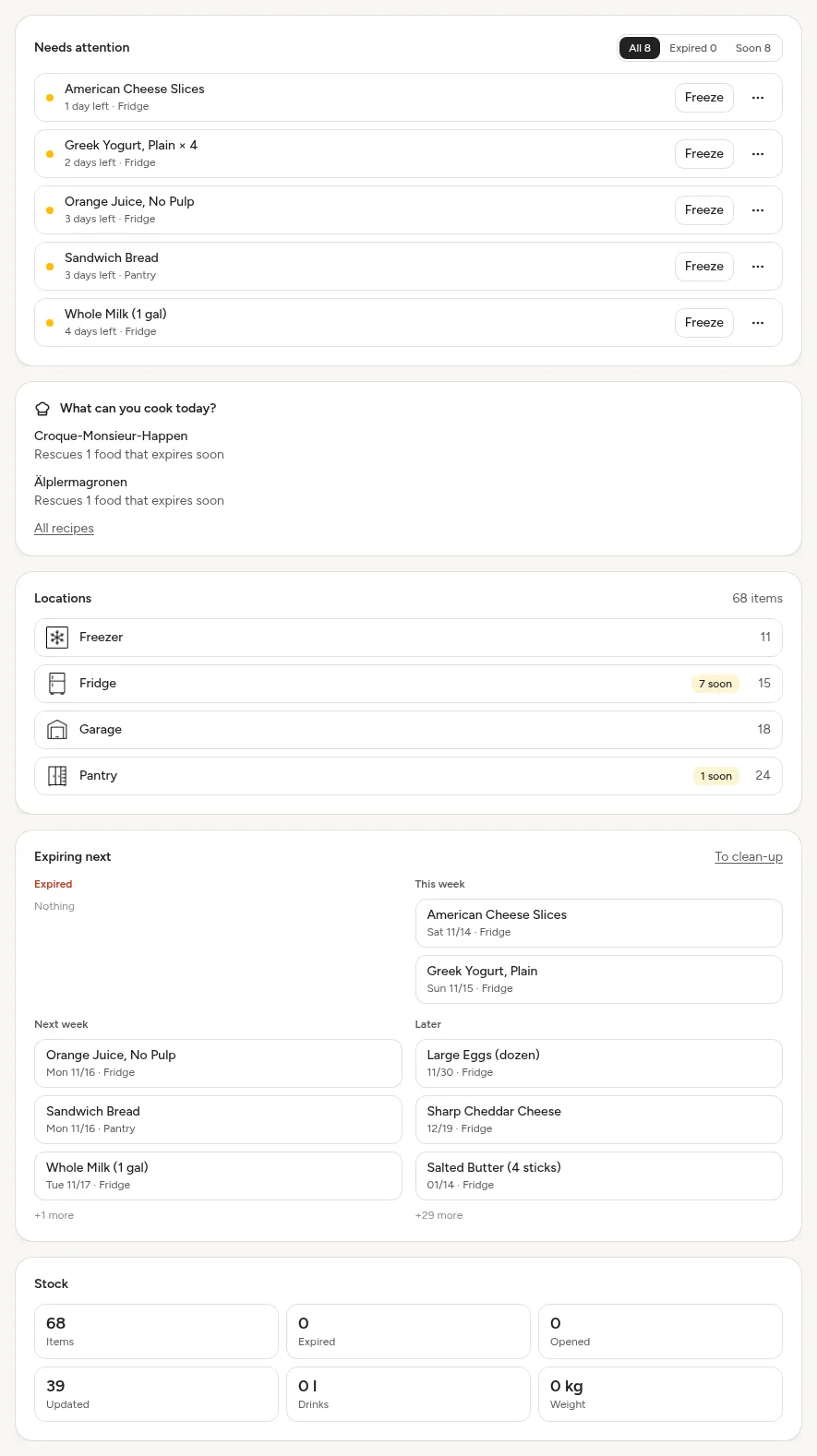
The “Needs attention” tile now looks the same on the dashboard and in your stock. Each row has exactly one primary action, for example “Thrown away” on an expired item or “Freeze” when something is about to expire. Everything else is in the menu beside it. A click on the name opens the item. Entries under “Expiring next” are clickable now, and the numbers in the stock tile take you straight to the matching filtered list, such as every expired or opened item. Expired stock in that tile is now counted by units, not by products.
Minimum stock: what is missing goes on the list
If you have set a minimum stock for items or whole categories, the “Below minimum stock” card on the stock overview now also lists the categories that are below their target, not just single items. It counts the same way as the tile on the dashboard. With “Add to shopping list” you put everything that is missing on your list in one step.
The suggestions on the shopping list now take into account what is already on it: quantities already listed in the same category are subtracted from the shortfall. If that covers it, the suggestion disappears. If not, Smantry only suggests the rest, for example 0.2 kg instead of 0.4 kg. So nothing is suggested twice.
Also new in 1.48
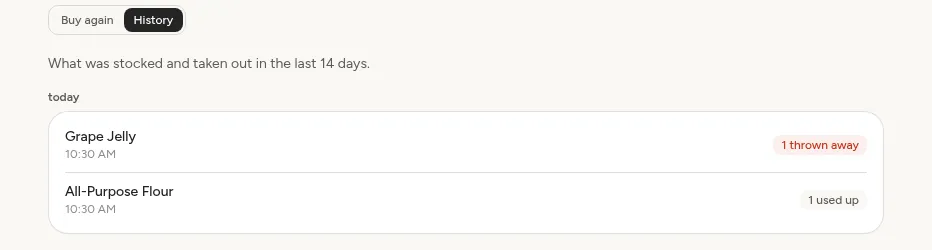
“Used up”: finished, or thrown away?
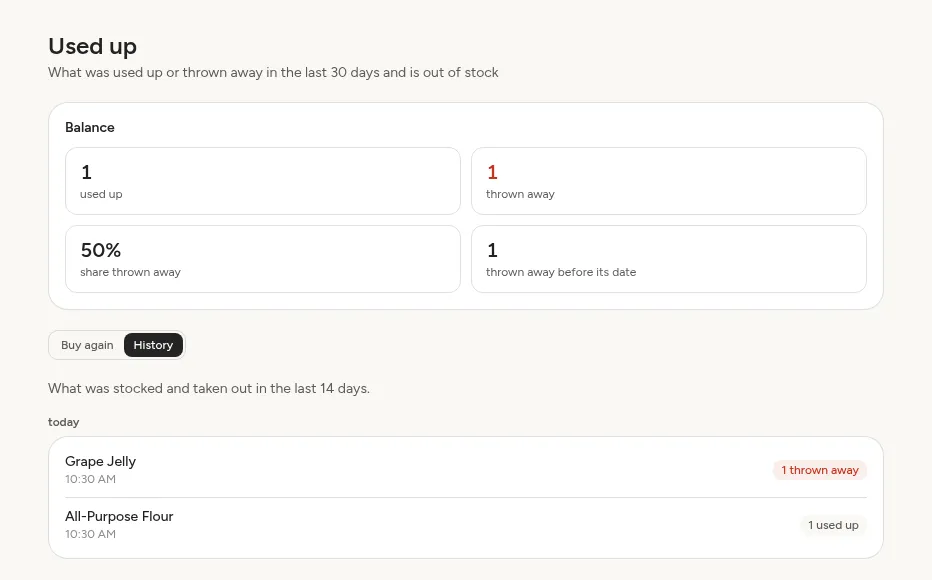
The “Used up” view shows a Balance of the last 30 days at the top: how much was used up and how much was thrown away, the share thrown away, and what was thrown away before its date. In the new “History” tab you see every movement of the last 14 days, with the time and the reason.
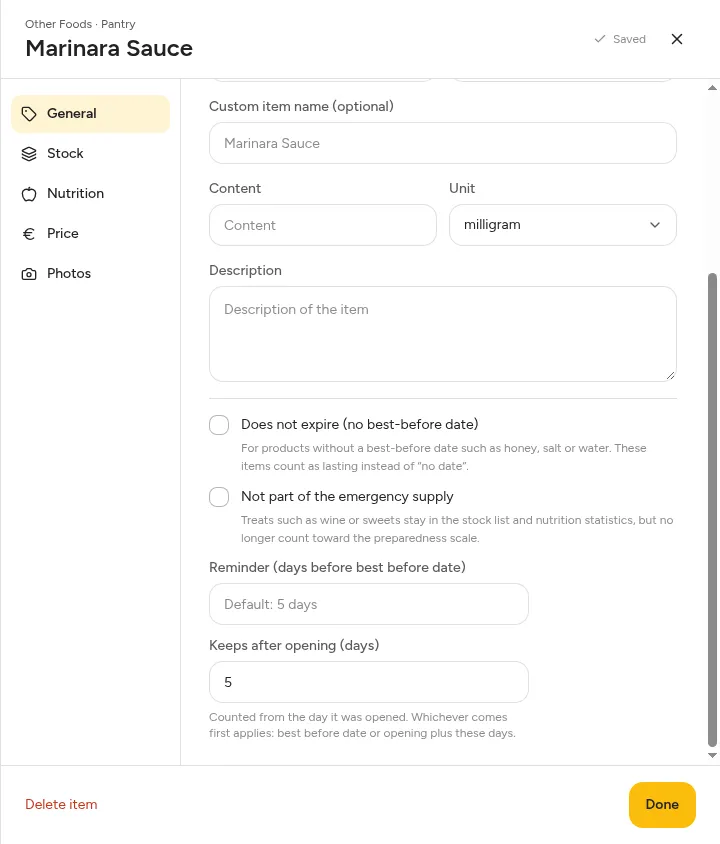
Keeps after opening
An opened jar of pesto does not last until the best-before date on the lid. On the item you can now enter “Keeps after opening (days)”. Smantry then uses the earlier date: the best-before date, or the opened-on date plus the days you entered. That applies to warnings, filters, sorting and the expiry calendar. You can still correct the opened-on date per unit.
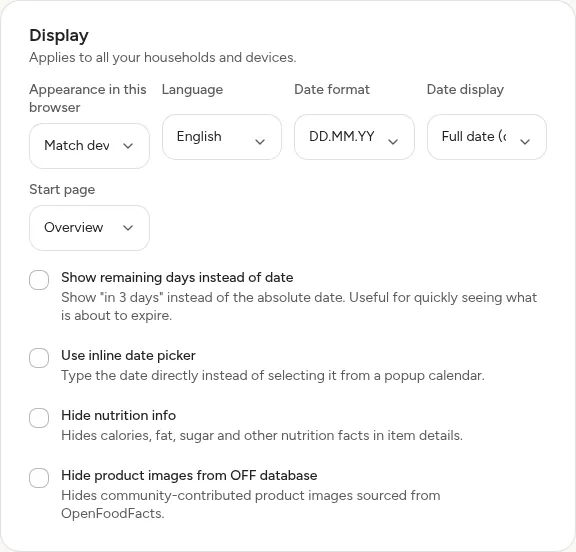
Your start page, your last location
Under Account → Display you choose your Start page: Overview, Stock (last opened location), or Shopping list. If you choose Stock, Smantry opens the location you last had open.
And besides?
- More currencies: Alongside euro and Swiss franc, you now have NOK, SEK, DKK, GBP, USD and AUD.
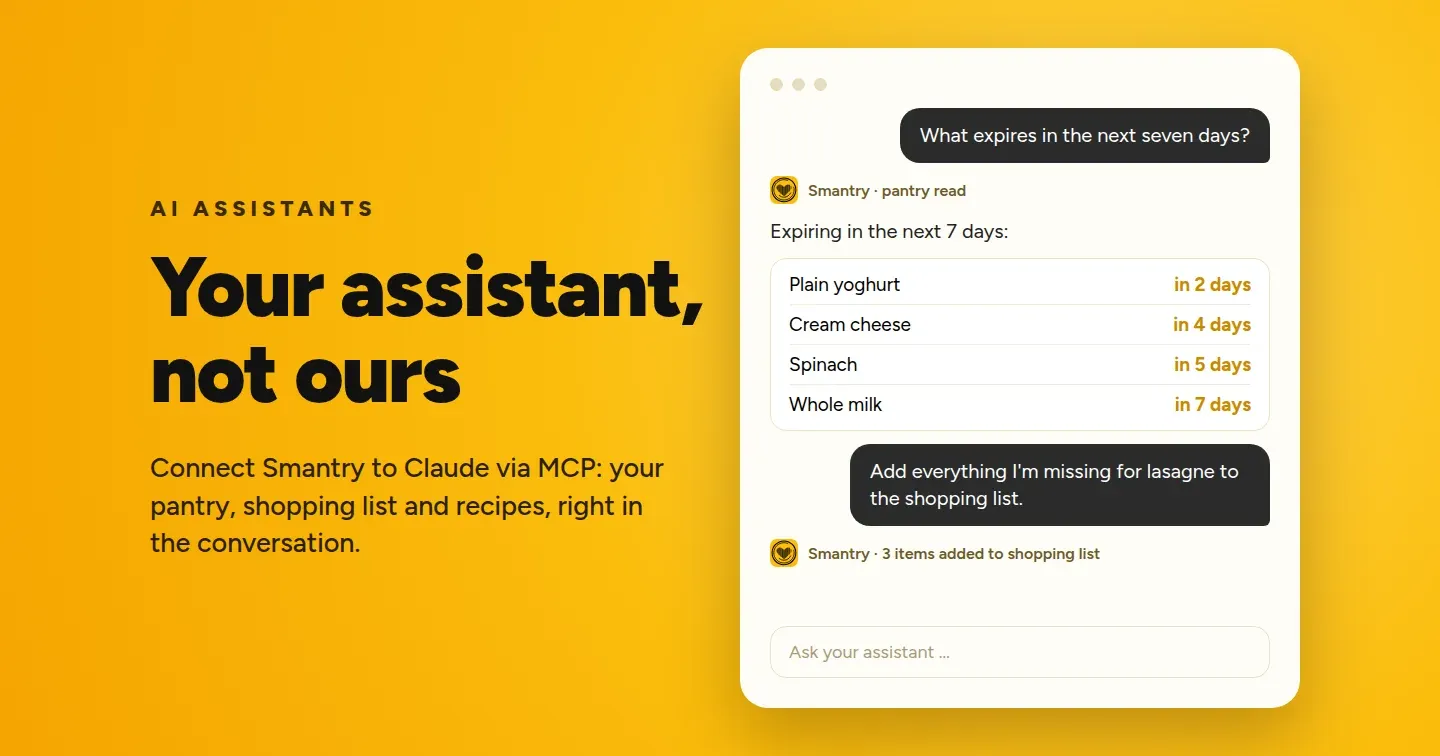
- AI assistants & API: A new entry in the account menu shows how to connect Claude or ChatGPT to your stock, including an address you can copy.
- Scanning: Scanned products from the Smantry product database are saved reliably again, and the barcode search gives up after ten seconds instead of hanging.
- Booking together: If two devices take something from the same item at the same time, both withdrawals now count.
- Small things: Undo appears immediately, error messages are translated, household icons are visible in dark mode, and purchases can be restored.
Why this, and not something else
Three ideas sit behind this release.
Starting from your stock. Our aim is that in no household should food spoil unnoticed. That is why recipe suggestions start from what is already on your shelf, food warnings speak up as soon as a recall affects your stock, and the minimum stock only suggests what is really still missing.
One job, one click. A dashboard should tell you what to do next, not put ten options next to each other. That is why each row has one primary action, and the same tile looks the same everywhere. It is calmer, and your eye finds what matters faster.
Built from your feedback. Shelf life after opening, and a start page you choose, were proposals with many votes in the feedback portal. The new currencies came from Norway and Australia. Together, they help make sure that what is in Smantry matches what is on your shelf.
Try it now
Version 1.48 is already live: open app.smantry.com and sign in. You do not need an update. The same features are coming to the mobile app soon. Try the “Cookable with my stock” filter on the recipe page first, then take a look at the “Below minimum stock” card in your stock.
Have an idea for the next update? Add it in the feedback portal. Many features in this release started there.