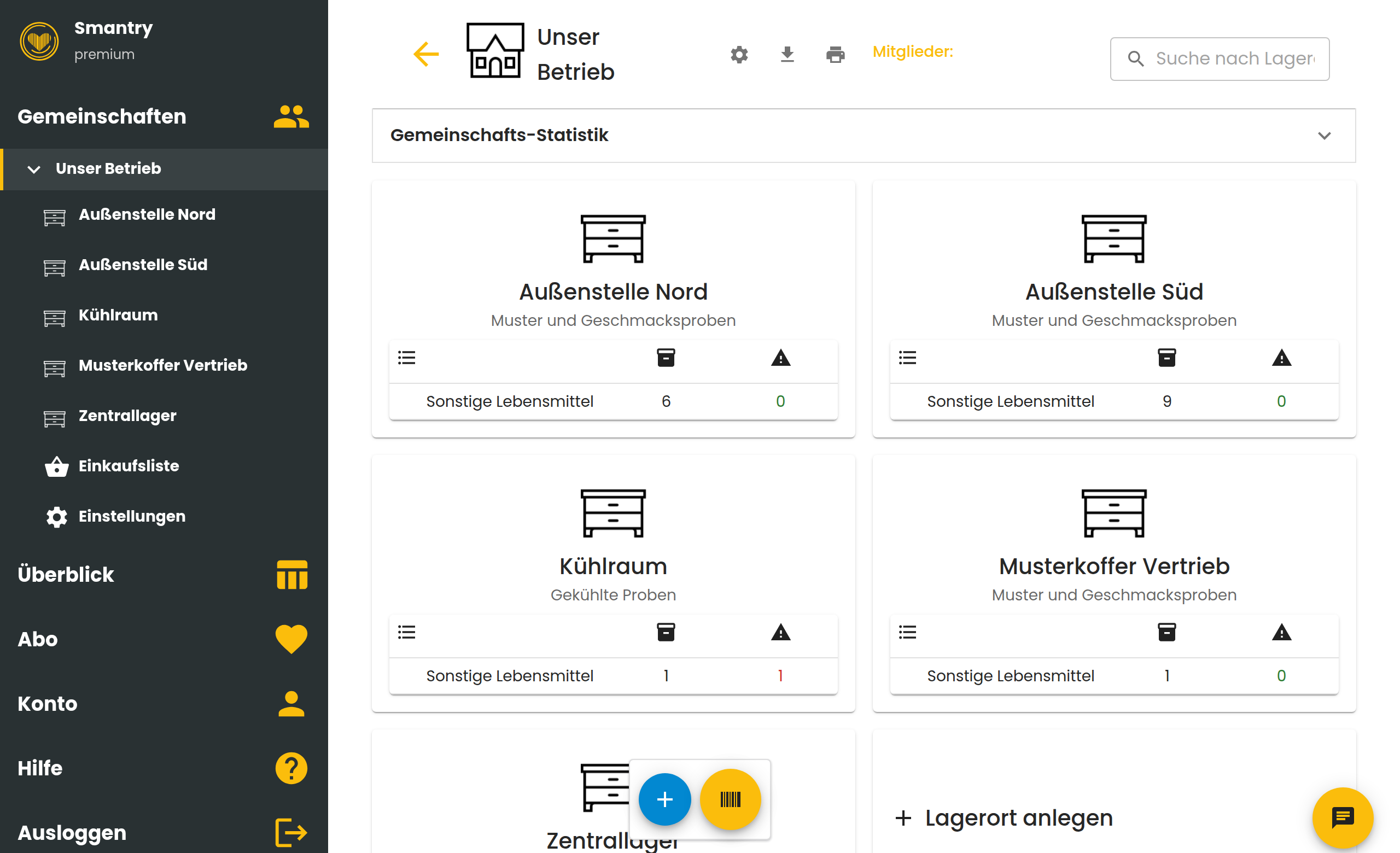
One headquarters, several field offices and a team that maintains the stock together – samples and tasting kits at customer sites, for example. Here is how to model that in Smantry.
The setup in three steps
- Create one community for your business.
- Inside it, create a storage location per field office – plus the central warehouse and, if needed, the sales sample case.
- Invite your staff into the community and give them a licence seat.
Why field offices are storage locations, not separate communities
Everyone in a community sees the same stock – which is usually exactly what you want for field offices: headquarters can see what is left at each site. Storage locations are not limited, so you can model any number of field offices.
You only need one community per site if a site must explicitly not see the stock of the others.
Samples without a barcode: your own photos
Not every sample has a barcode. Create the item by hand and photograph its front directly in the app, so everyone on the team recognises the sample again. Enable “Enable private product images” in the settings – the photos are visible only to you and the members of your community.
How many seats do you need?
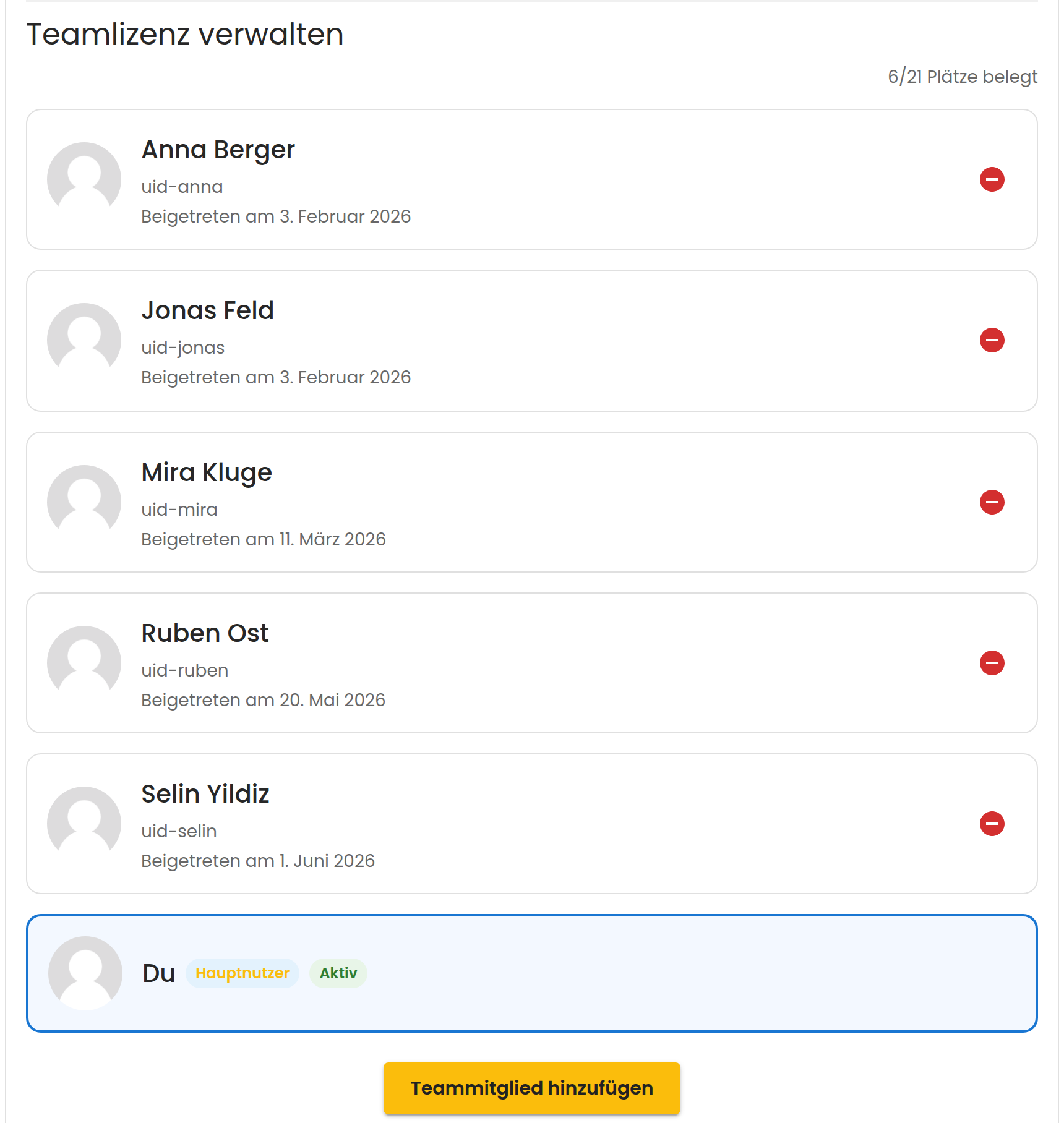
Everyone who maintains the stock takes one seat of the team licence – the licence holder included. For 20 employees plus management that is 21 seats.
Plan for staff turnover from the start
Seats belong to the company, not to the person. When someone leaves, remove them from the team licence – the seat is free immediately – and from the community as well, so their access to the stock ends.
The individual steps are described here: Managing your team licence
Register the licence on a company account with a shared email address. The licence holder cannot be removed – on a personal account your contract would hang on a single person.